Accelerating creative output through templates
Company:
Sourceful
My role:
Product design (UX/UI)
Date:
Q4 2023
Many users did not know how to design their own packaging online and ended up leaving the design studio tool or reaching out to customer service, ending up in delays in ordering and lack of efficiency.
Working efficiently in a lean UX Agile setup
The squad:
1 Product designer (me) + 1 Product Manager + 3 developers
My role (UX/UI):
Data gathering (LogRocket, customer service)
Problem framing
Ideation + feedback from PM and engineers
Prototyping + usability testing + fast iterations
Handoff to engineers
Post-launch user feedback analysis
The problem
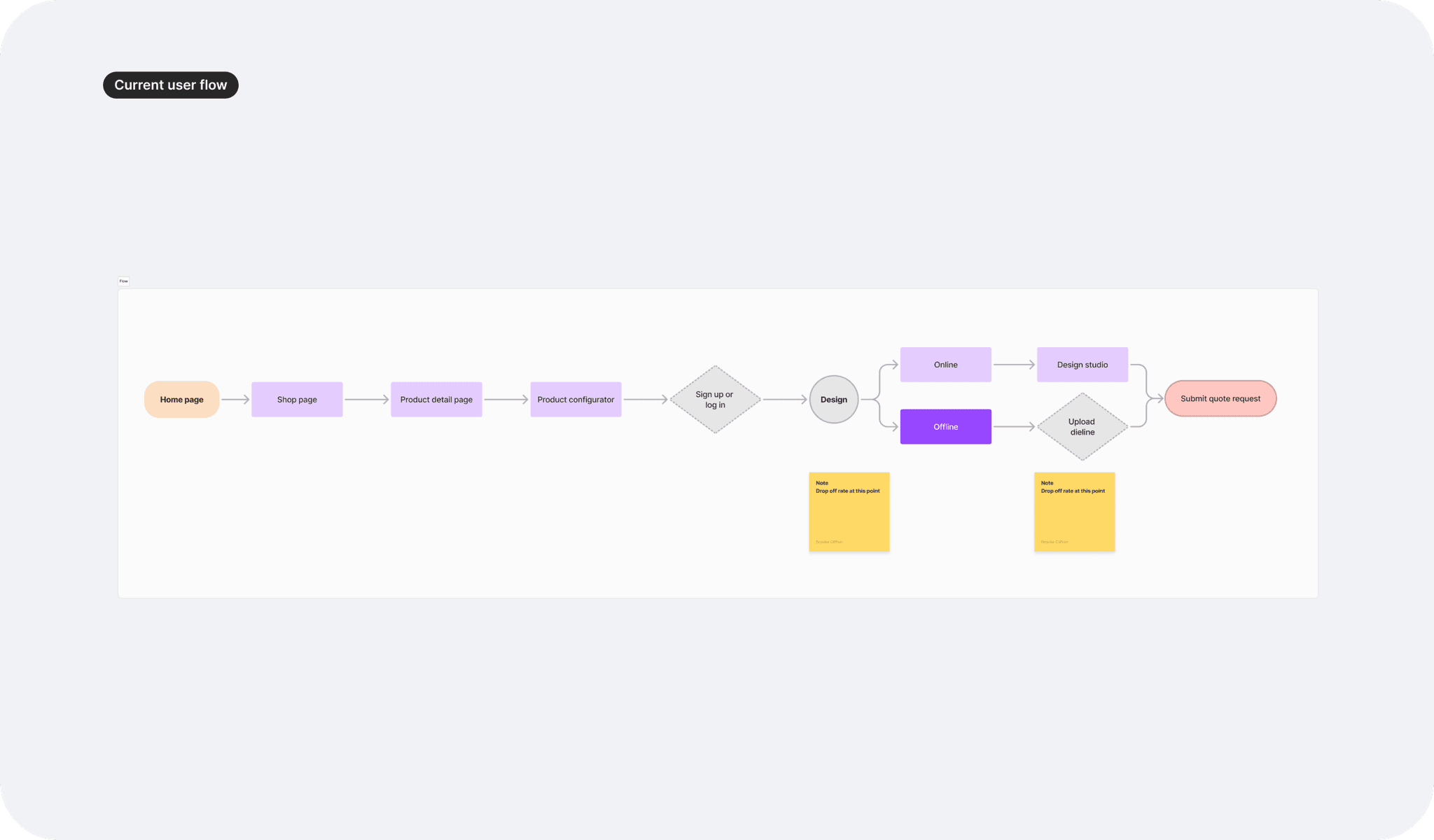
The online design studio was built to enable users to design their packaging directly online. However, analytics revealed significant drop-off at key decision points, particularly when users faced design choices. This led to higher abandonment rates and increased customer service requests, making the process lengthy and challenging.
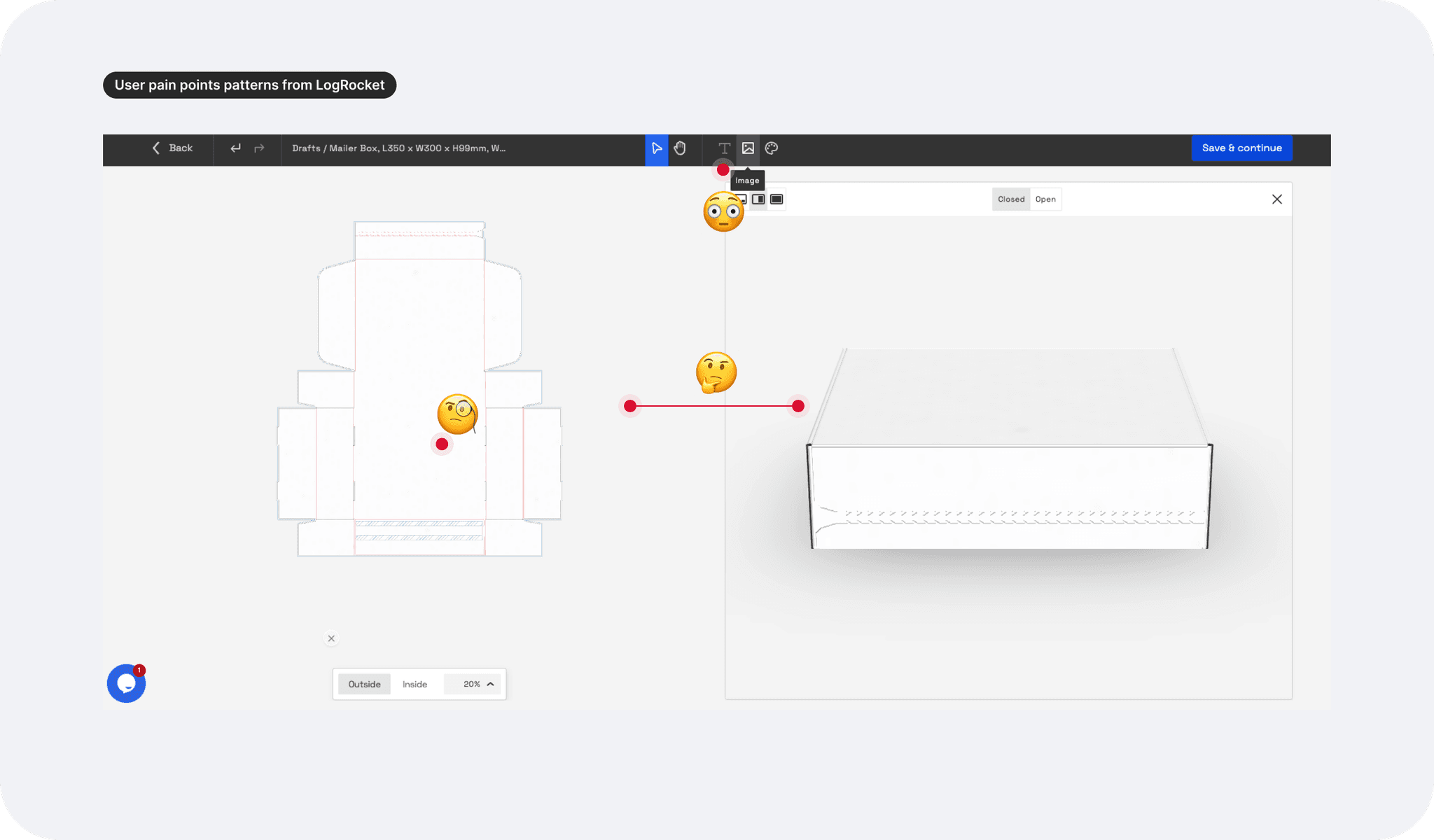
User pain points
User Pain Points (feedback log from customer service)
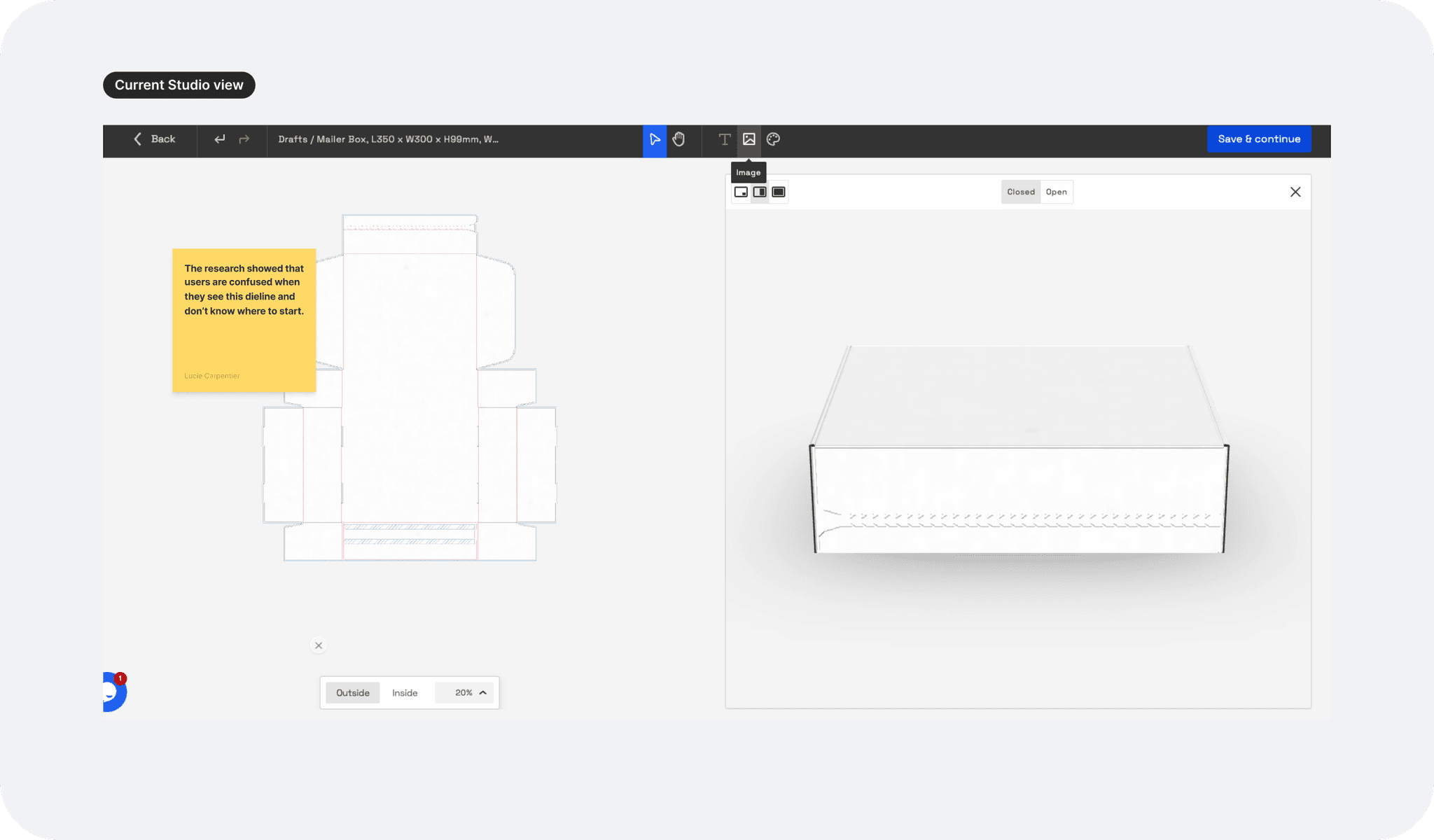
- Users feel confused by the dieline on the studio canvas, not realising what side of the packaging is represented.
- Unfamiliar with design tools, users don’t know where to begin, leading to frustration and time loss.
Business challenge
The packaging’s sustainable properties is a key selling point for scaling startups, but it's not clearly communicated in the design flow, missing a vital brand alignment opportunity.
Goal
Create a user-friendly design experience through templates that simplifies packaging creation and highlights the business sustainability features.
Research methods
Design analysis from active + past orders:
Based on user insights and business pain points, I analysed repeated designs from larger clients and from various industries and identified specific recurring design patterns.
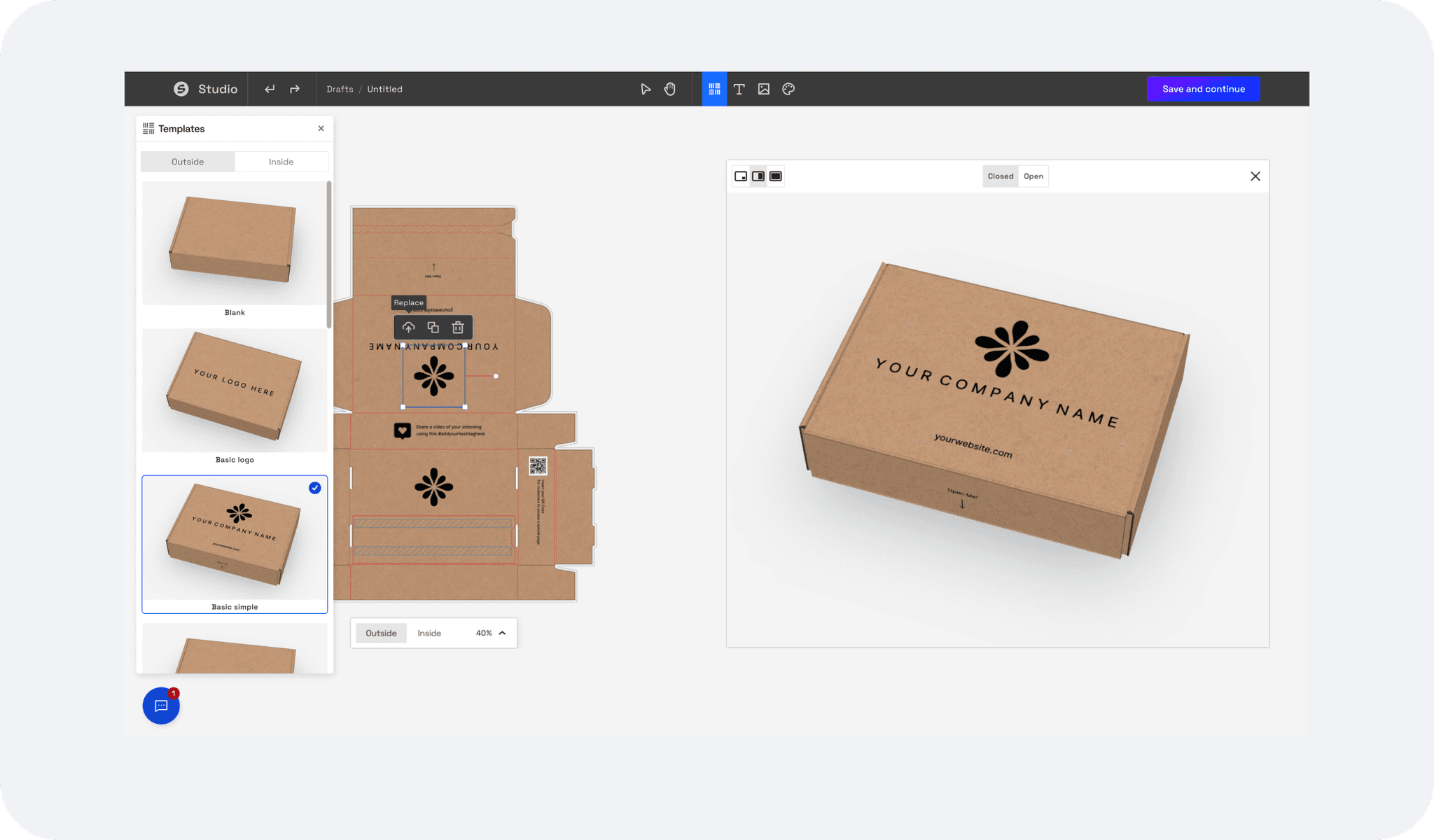
-> This led to the suggestion of two first template options: "Sustainable Brand Basic" and "Sustainable Brand Advanced." Both templates guide users through adding key elements, such as logos, QR codes, and FSC labels, making the packaging design process more intuitive while highlighting our sustainability focus.
Lean UX + Agile = MVP first
The challenge was balancing the need for a comprehensive studio onboarding experience to address user pain points with the urgency to release a first MVP due to time and resource constraints.
While a full onboarding would guide users more effectively, we prioritised launching an MVP that simplified key interactions, allowing us to gather feedback quickly and iterate on the design based on real user insights, setting at least the foundation for future improvements.
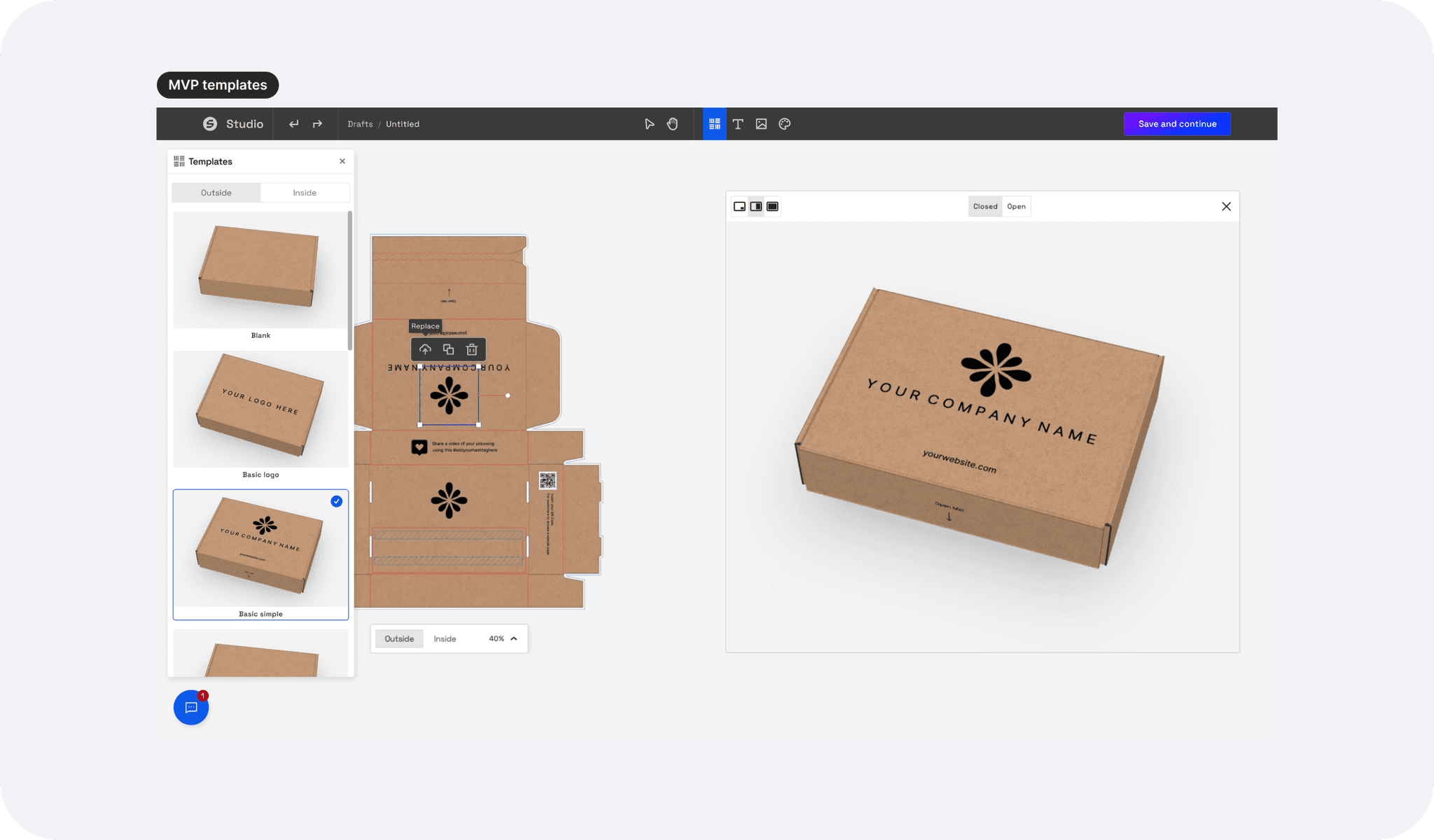
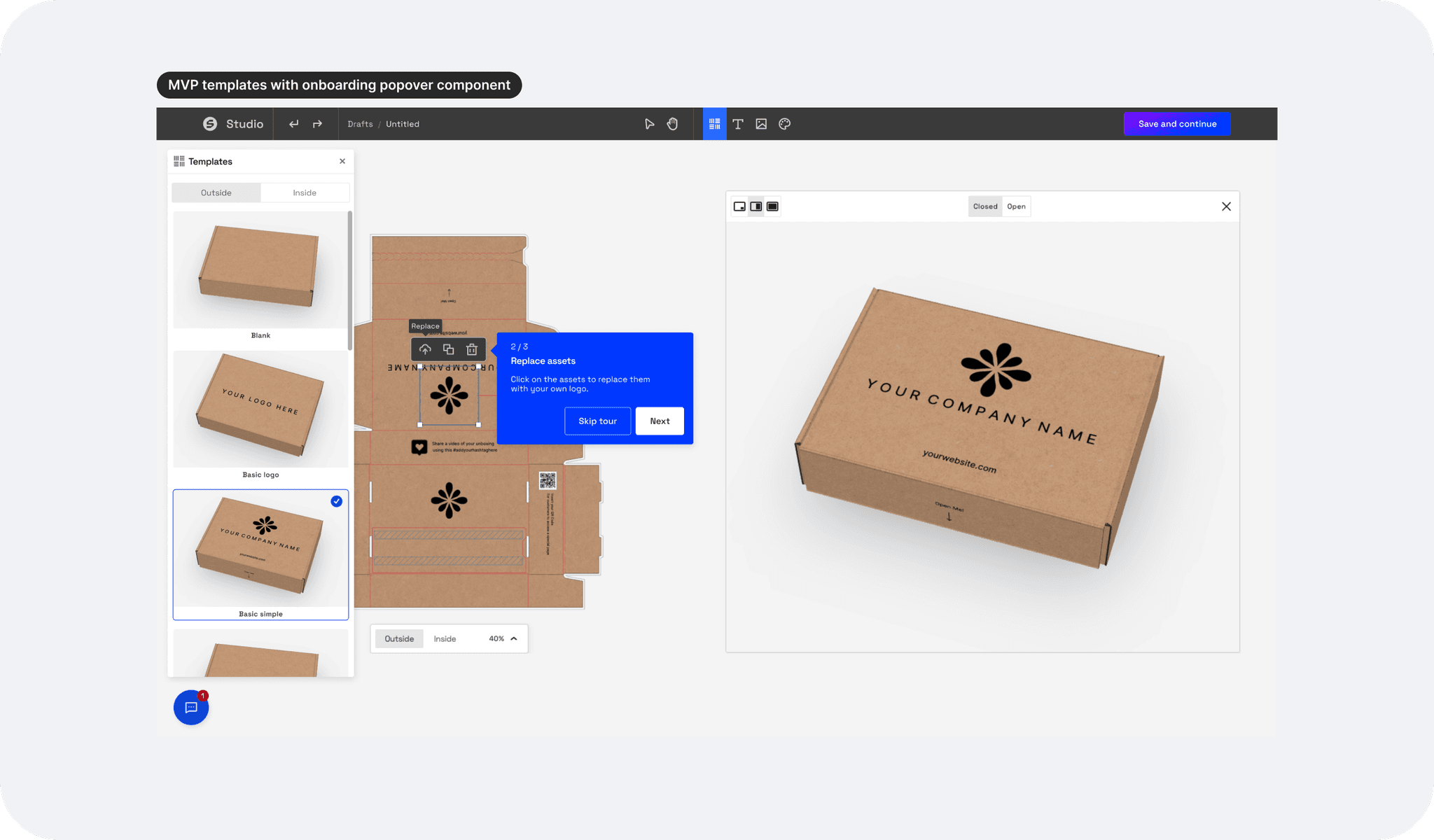
Interaction design
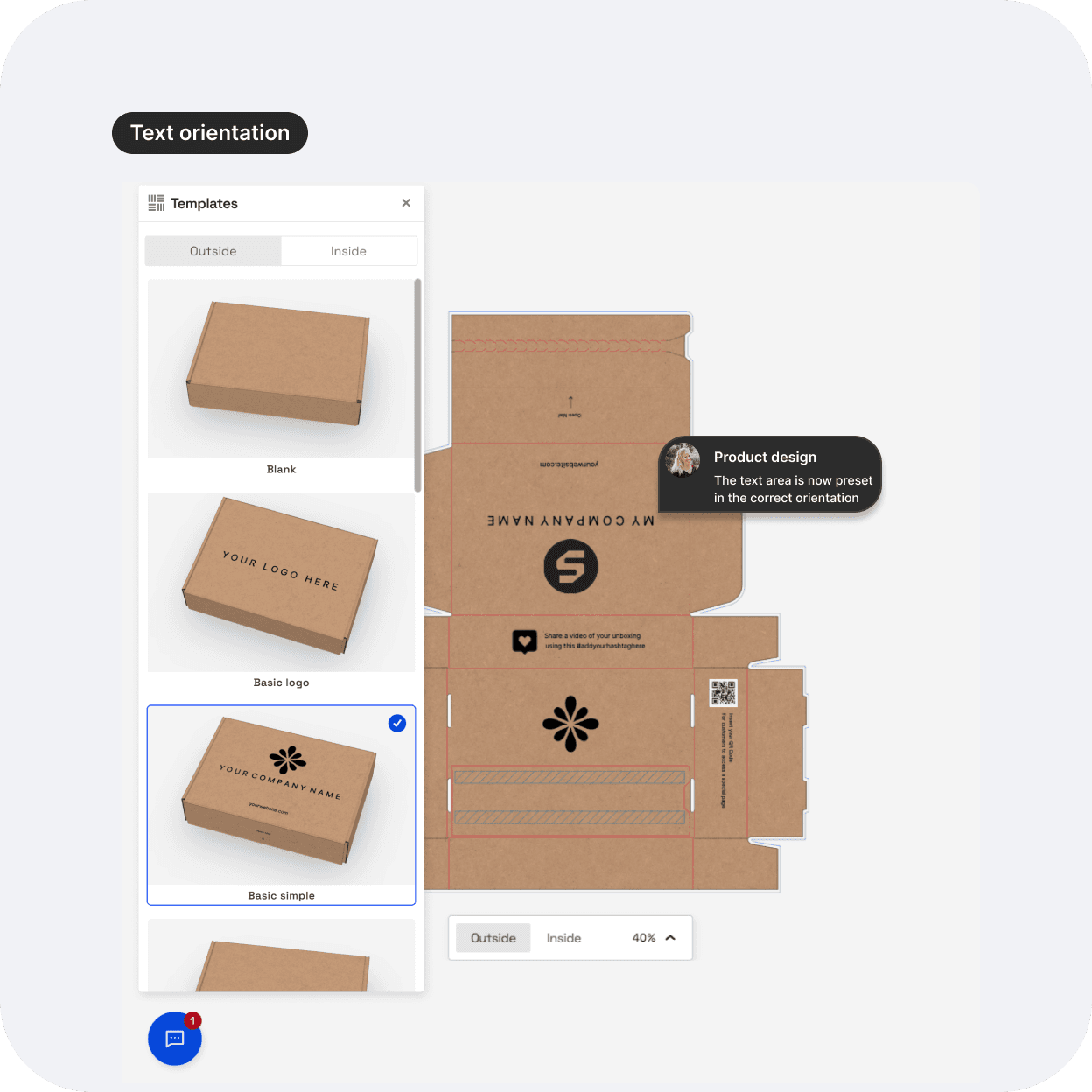
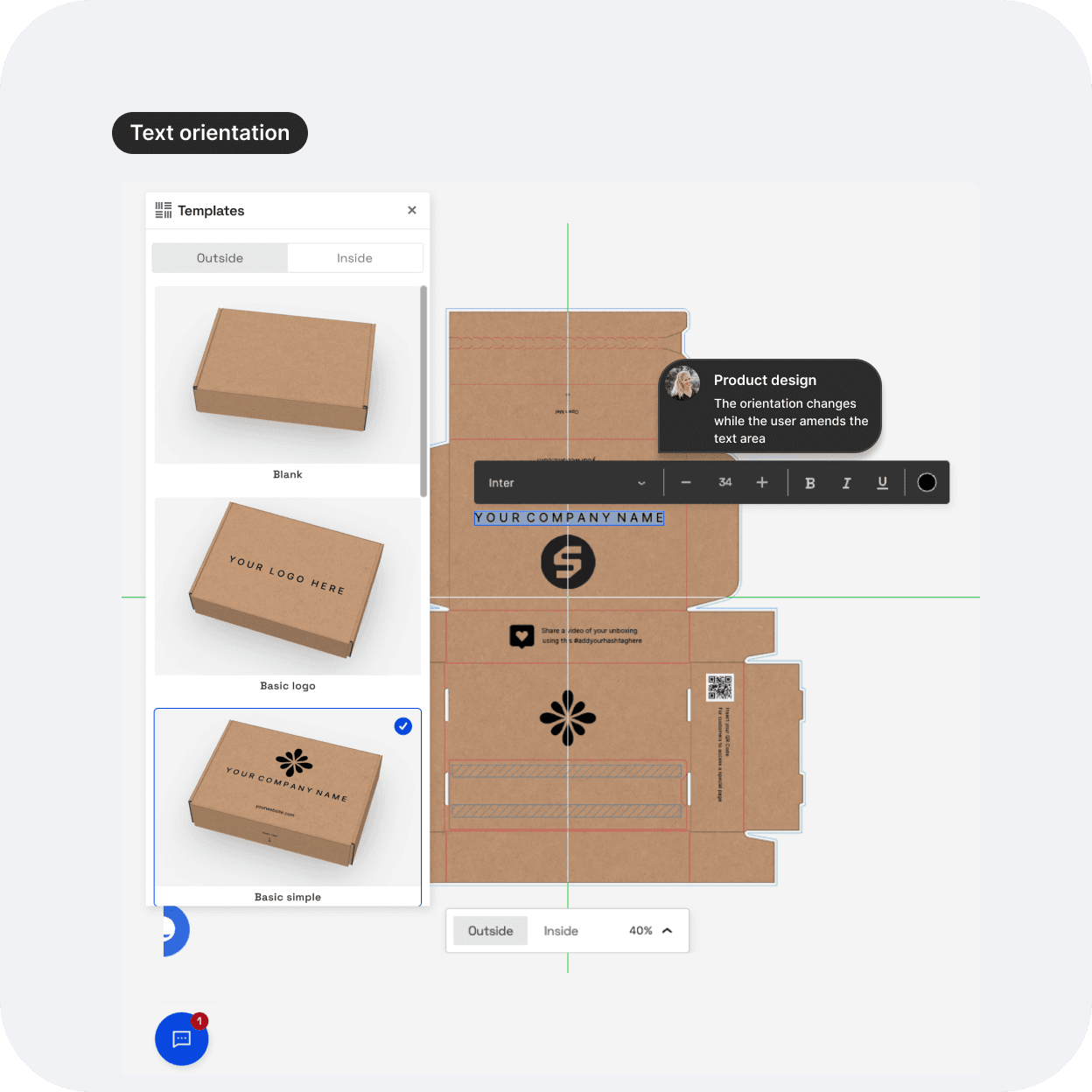
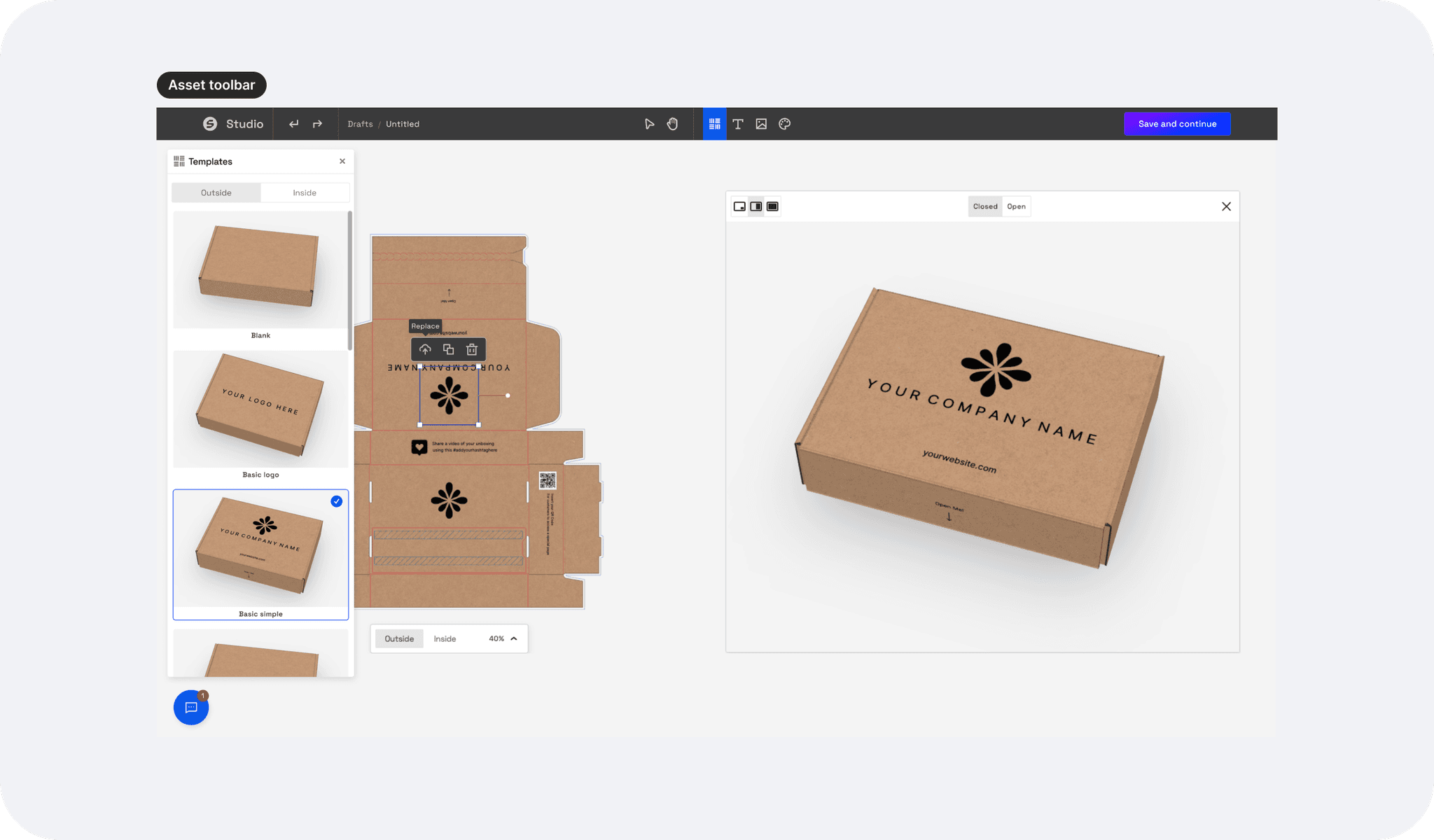
To help users better understand how a flat box design works, we introduced key interactions and assets on the canvas. I added the text template upside down, ensuring it displays correctly once the box is assembled, eliminating confusion. I added a toolbar above the assets for easy editing or replacing, and templates are accessible from a sidebar on the left, allowing users to switch them as many times as needed for a smoother design experience.
Usability test results
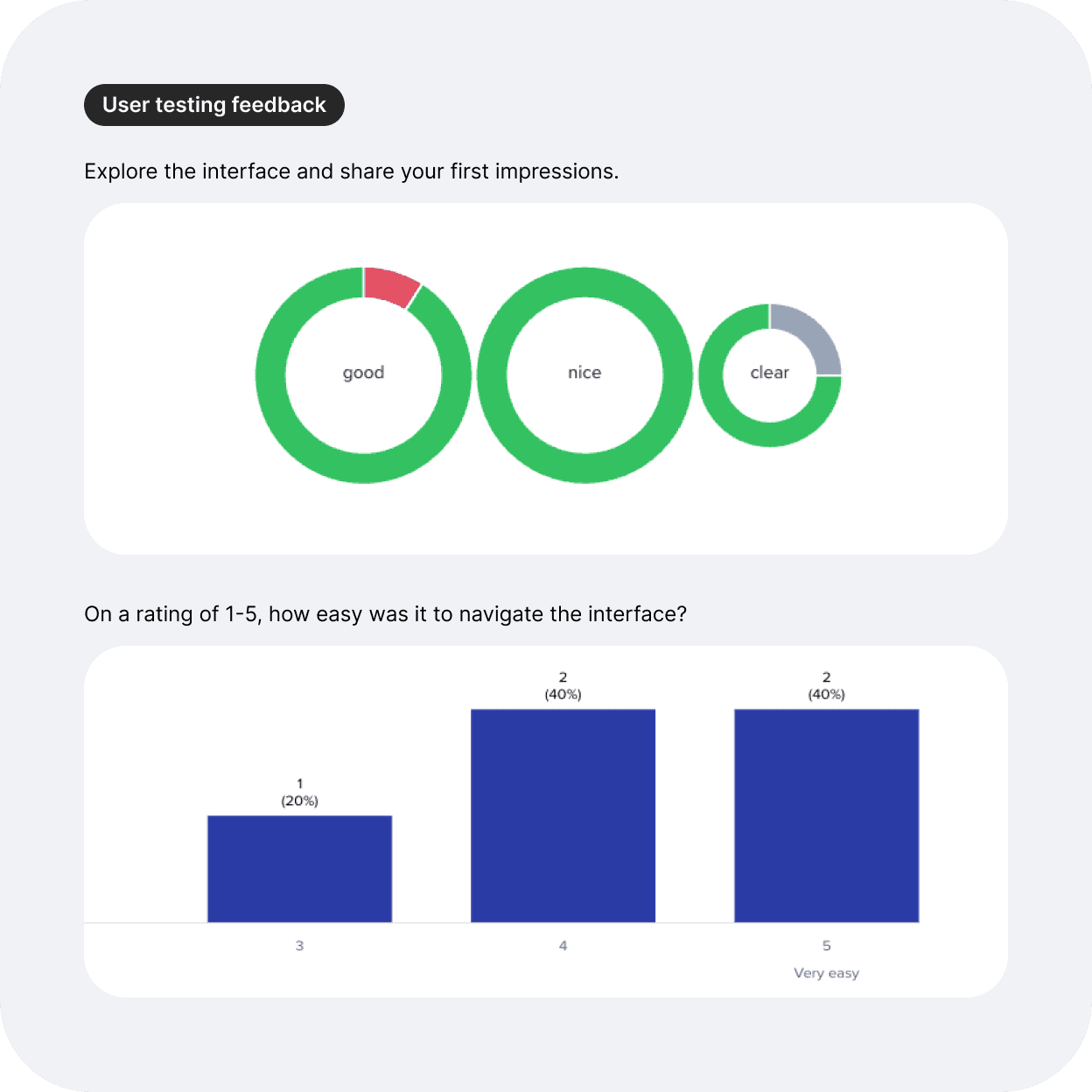
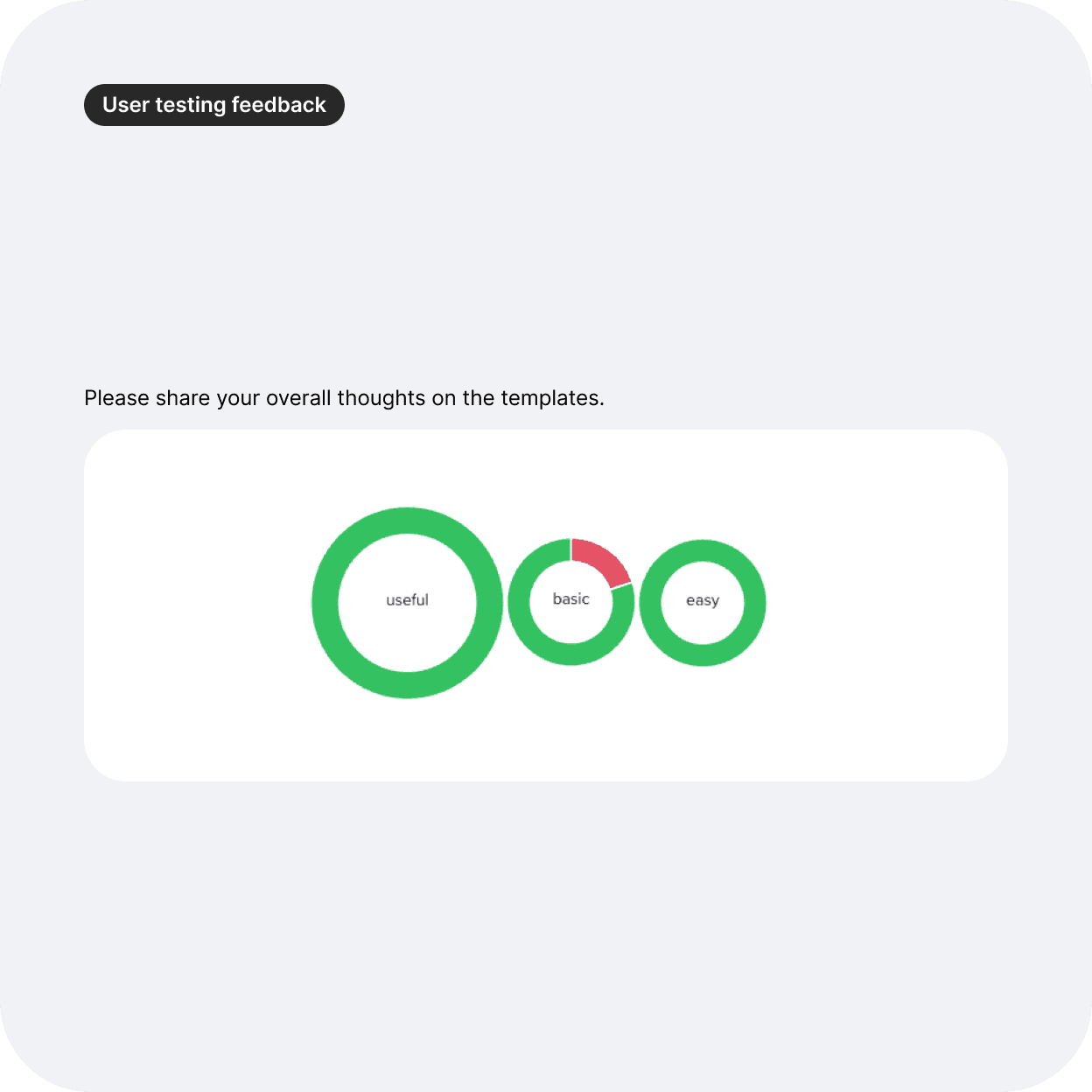
Using usertesting.com, I performed a usability test with a Figma prototype.
User feedback was more than 80% positive, stating templates made the interface much easier to understand and design tools easier and faster to use.
Impact and next steps
Within 3 weeks of launching the new Templates features, the analytics showed that 50% of users were using templates to design their packaging online. From the increased number of quote request submissions, almost every single one placed from this flow started with a template (approx 90%).
The introduction of the new templates feature significantly improved the user experience, reducing confusion and increasing conversion rates.
Users found the pre-made designs intuitive and easy to customise, which led to fewer drop-offs during the design process.
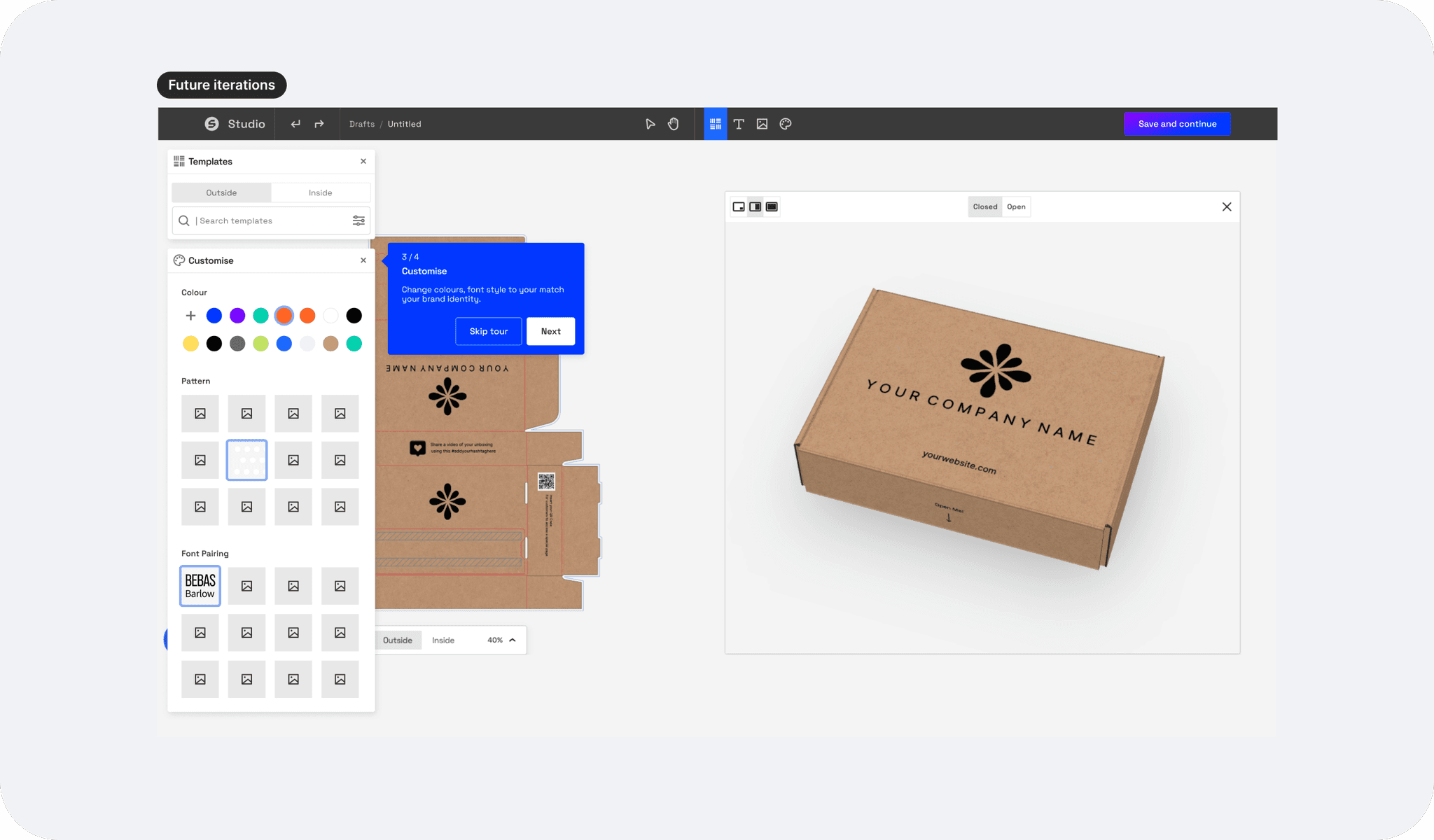
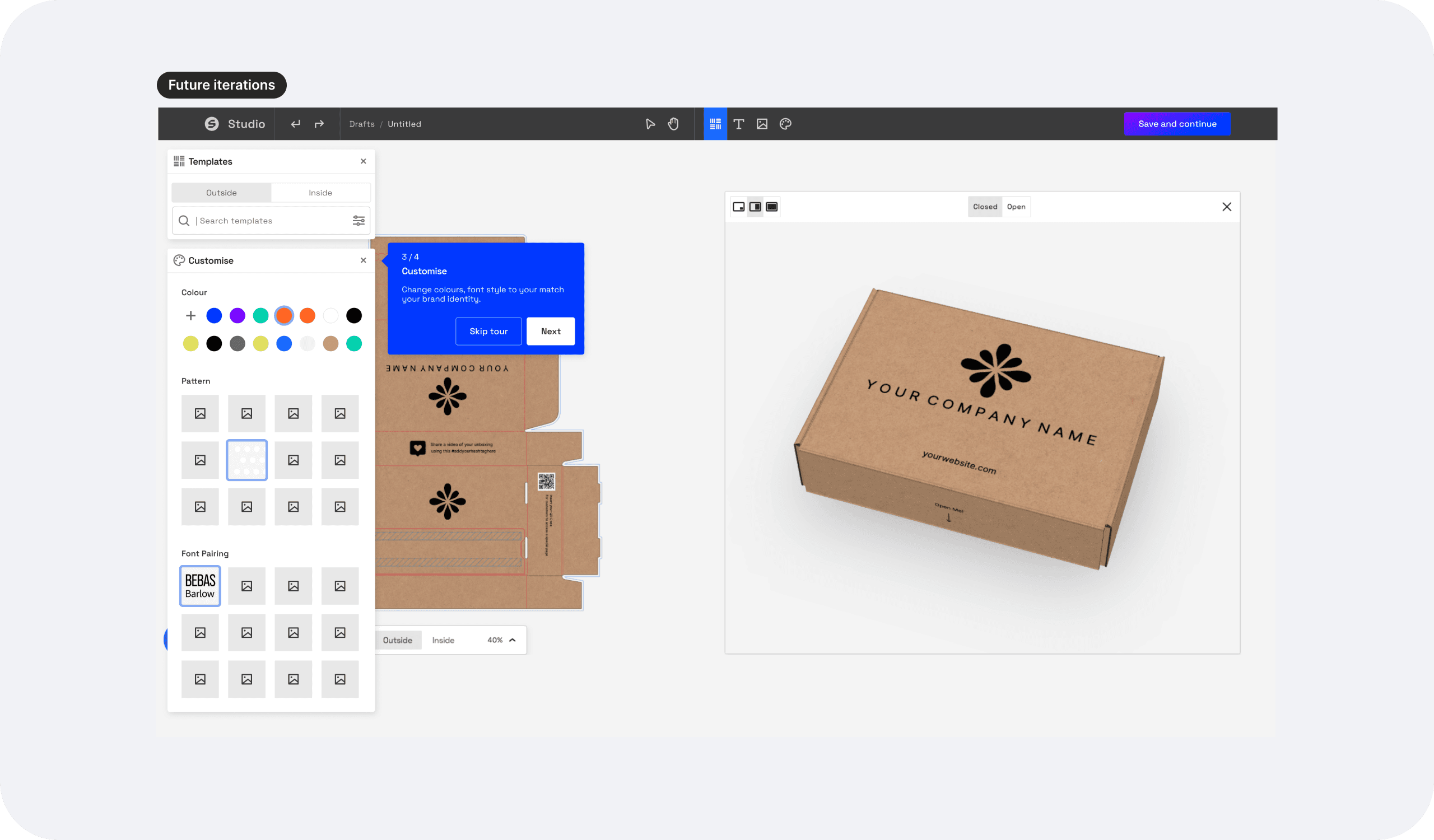
Following this success, I continued working on future iterations, adding features like guided tooltips, colours and patterns, enhanced asset customisation, and a step-by-step walkthrough to make the experience even more user-friendly and efficient for first-time designers.